In ChatApp Dialog, you can use role-based filtering. To do this:
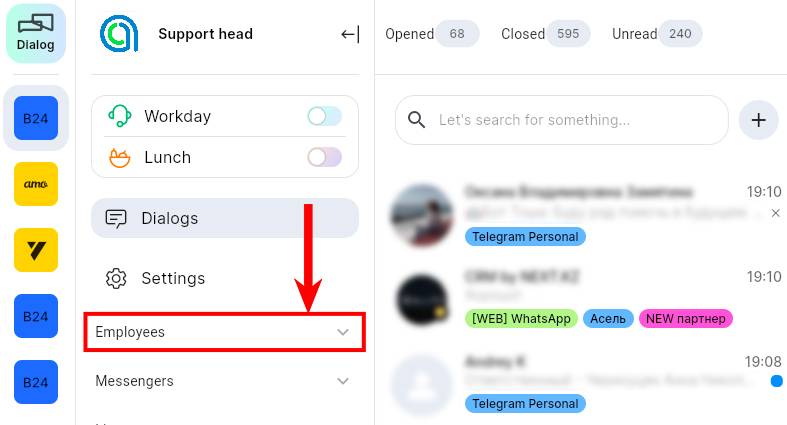
1. In ChatApp Dialog, expand the “Employees” sub-item;
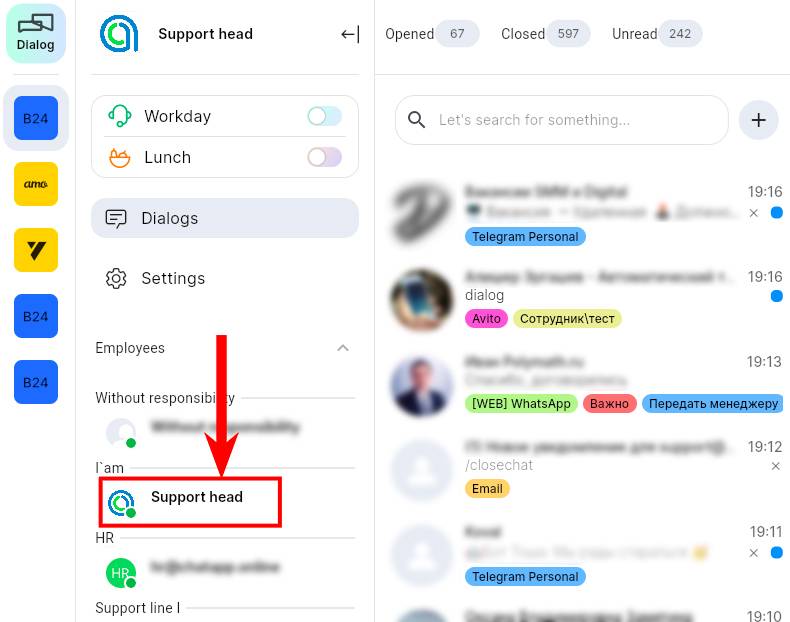
2. Select the required employee. Click on it;
3. In the “Filters” section, right-click on the employee;
4. Select the desired role.
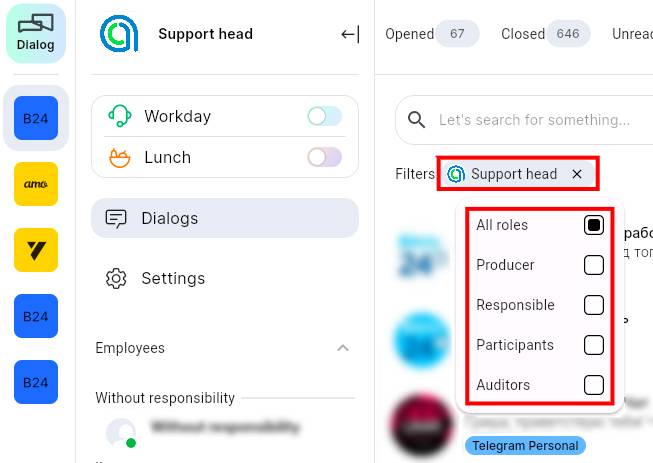
Now you see all the dialogs in which an employee is assigned to a particular role.
