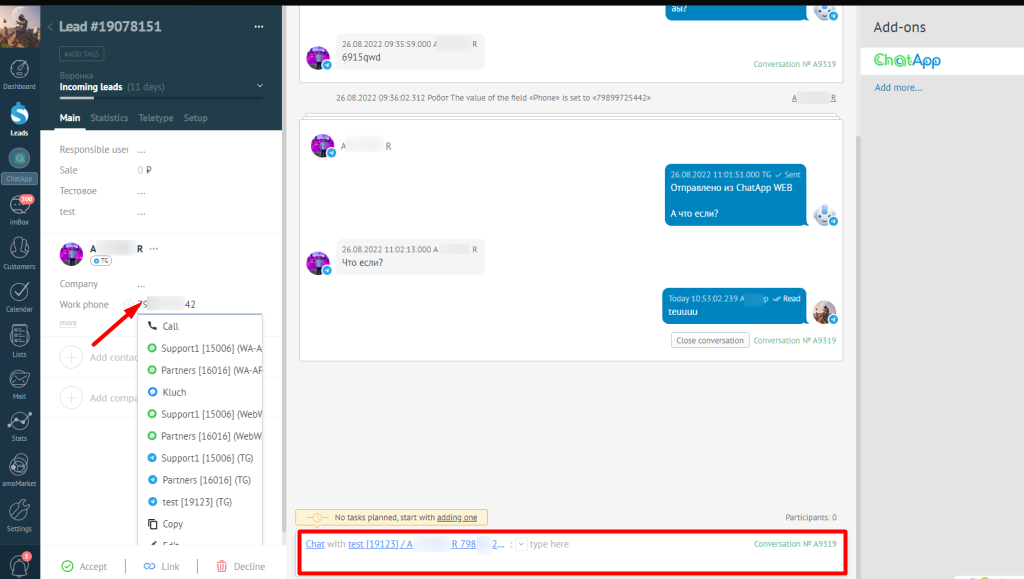
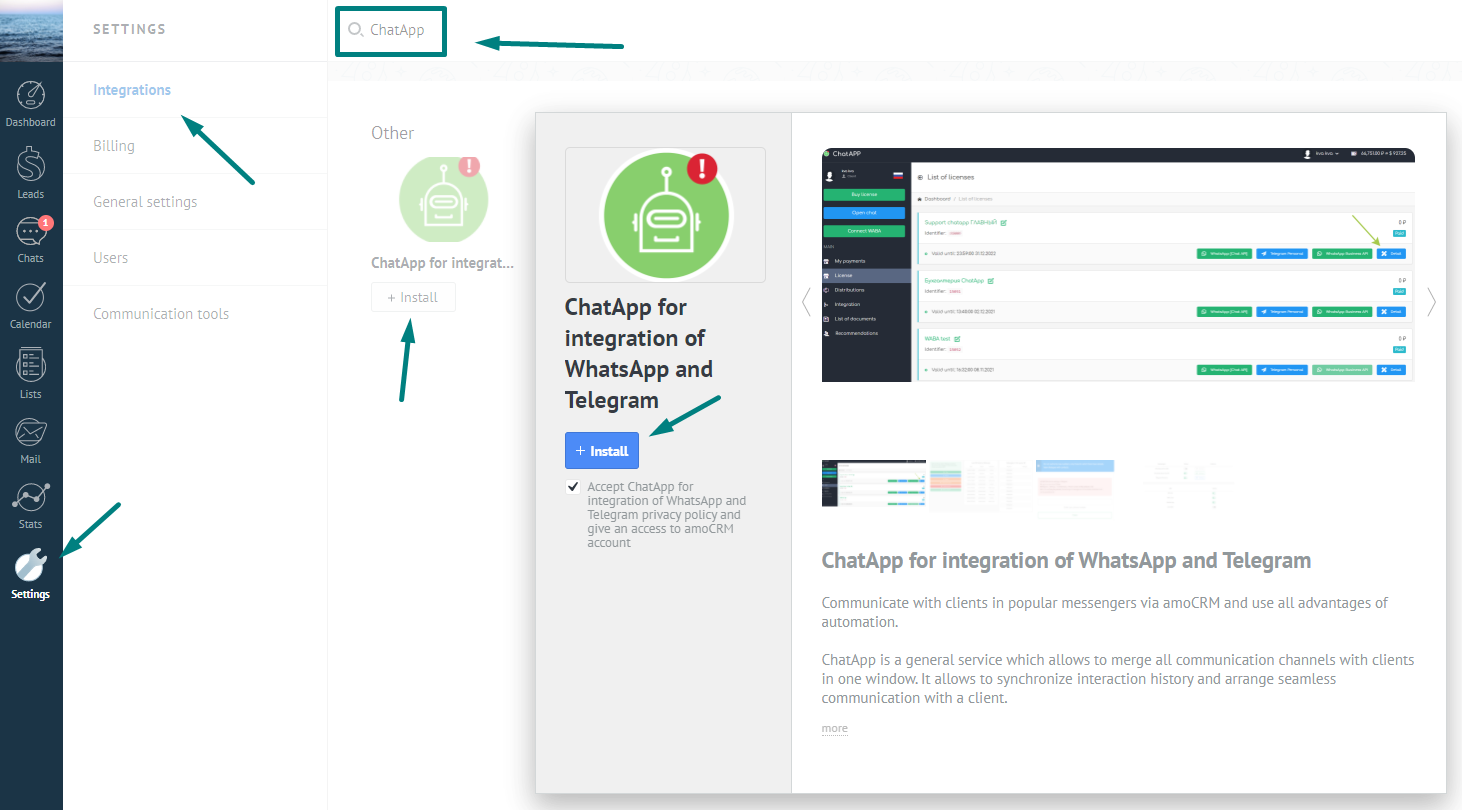
To install the widget in Kommo you need:
- Install ChatApp in Kommo;
- Enter the login and password from your personal account of ChatApp;
- Buy or run a DEMO license, according to the instructions;
- Check your license from a single chat room for all messengers;
- Check sending and receiving messages from the transaction.
Setting up channels and sources
- Channel settings – select active messengers (when expanding the list by phone number)
- Source settings – enable licenses and specify a funnel for new applications (in a message to the client)