Adding an Employee in Facebook Business Manager
You can invite employees to work on behalf of your company and assign them the appropriate access permissions.
Procedure
1. Go to the «People» section and click «Invite people».
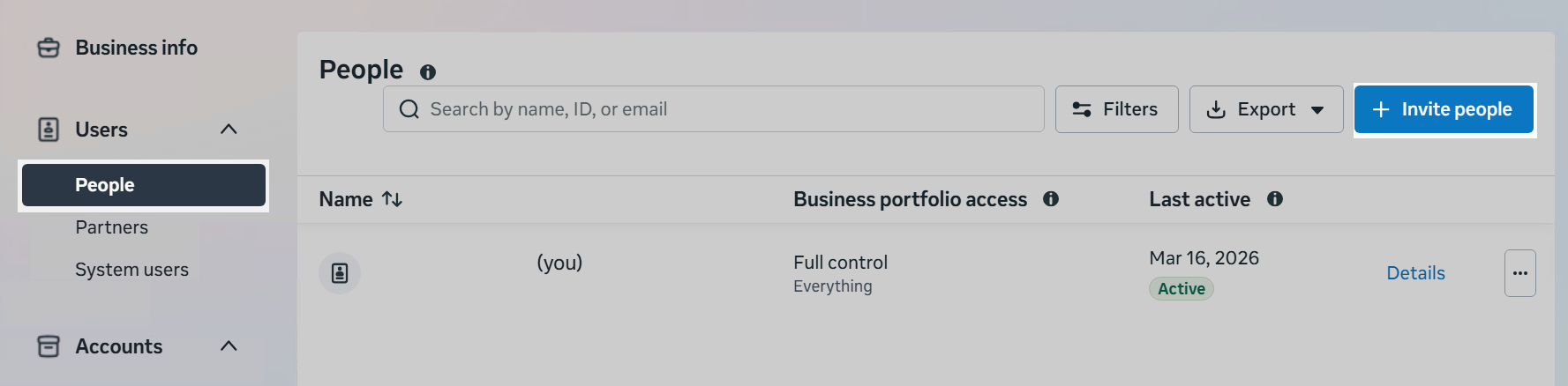
2. Enter the email address of the employee you want to invite and select the access type:
- permanent, or
- temporary.
Any email address can be used — it does not have to be linked to a Facebook account.
Click «Next».
3. Assign the access permissions that will be granted to the employee.
4. Select the company assets and permissions for actions related to them.
5. Review the invitation details and send the invitation.
6. The invitation has been sent.
Accepting the Invitation
After the invitation is sent, Meta will send an email to the address specified in step 2 above.
To complete the process, the employee must:
- follow the link in the email;
- log in to the corresponding Facebook account;
- complete the provided form and confirm the invitation.
After accepting the invitation, the employee will appear in the company’s list of users.
