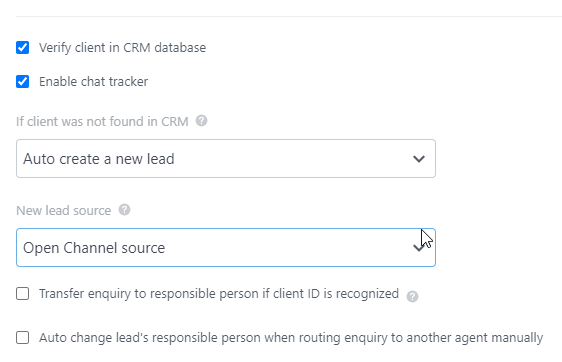
Setting up repeat generation scenarios depends on CRM settings and Bitrix24 open channels settings.
Create Leads, Set Up
Refer to Manual – Repeat Leads
CRM Setup/Settings/CRM Setup/Miscellaneous
Options:
- Turn off automatic re-sales registration;
- Enable legacy lead scenario;
Set up lead creation in an open channel
Go to Menu CRM/Settings/CRM Setup/Other
Manage the options:
Disable repeat sales mode;
Enable legacy lead creation mode;
Setting Up an Open Line
Go to Menu CRM/Customers/Contact Center
Choose ChatApp connector – WhatsApp, Telegram or other

Select – Settings
Set option – If client was not found in CRM: Auto create a new lead